FileWriter
FileWriter is Java’s simplest way to write character data to a file. It converts your text into bytes using a character encoding and streams them straight to disk — no extra setup required for most everyday file-writing tasks.
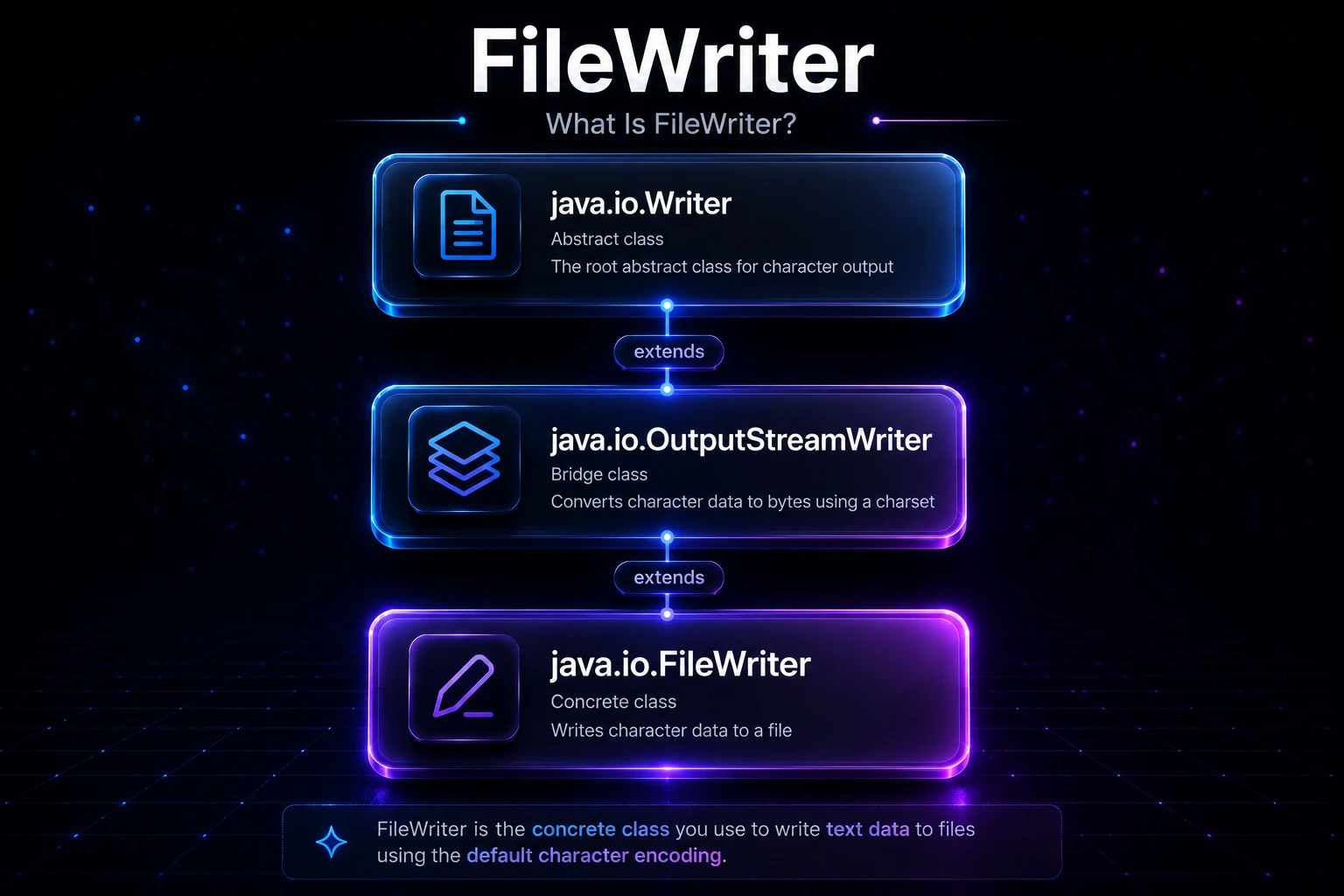
What Is FileWriter?
FileWriter lives in java.io and extends OutputStreamWriter, which itself extends Writer. It is a convenience class that combines a FileOutputStream and an OutputStreamWriter under the hood, saving you the boilerplate of wiring them together manually.
The class hierarchy looks like this:
java.io.Writer
  └── java.io.OutputStreamWriter
        └── java.io.FileWriter
Because it is a character stream, it works with char, char[], and String — not raw bytes. If you need to write binary data, reach for FileOutputStream instead. For a comparison of the two stream families, see Byte vs Character Streams.
Writing to a File
The most basic usage: create a FileWriter, write some text, and close it.
import java.io.FileWriter;
import java.io.IOException;

public class BasicFileWriterDemo {
    public static void main(String[] args) throws IOException {
        try (FileWriter fw = new FileWriter("hello.txt")) {
            fw.write("Hello, Java FileWriter!\n");
            fw.write("Writing is easy.");
        }
        System.out.println("File written successfully.");
    }
}
Output:
File written successfully.After running this, hello.txt contains:
Hello, Java FileWriter!
Writing is easy.
Tip: Always use try-with-resources (Java 7+). It calls
close()automatically — even when an exception is thrown — which flushes any buffered data and releases the file handle.
Constructors
FileWriter gives you several constructors depending on whether you have a path string or a File object, and whether you want append mode:
| Constructor | Description |
|---|---|
FileWriter(String fileName) | Creates/overwrites the file at the given path |
FileWriter(String fileName, boolean append) | append = true keeps existing content |
FileWriter(File file) | Same as string path, but takes a File object |
FileWriter(File file, boolean append) | File + append mode |
FileWriter(String fileName, Charset charset) | Explicit charset (Java 11+) |
FileWriter(File file, Charset charset, boolean append) | File + charset + append (Java 11+) |
Warning: Without the
appendflag (or withappend = false), opening an existing file silently overwrites all its contents. Double-check which mode you need before writing to production files.
Append Mode
Passing true as the second constructor argument tells FileWriter to start writing at the end of any existing content rather than replacing it:
import java.io.FileWriter;
import java.io.IOException;

public class AppendDemo {
    public static void main(String[] args) throws IOException {
        // First run creates the file
        try (FileWriter fw = new FileWriter("log.txt", true)) {
            fw.write("First entry\n");
        }

        // Second run adds to it instead of replacing it
        try (FileWriter fw = new FileWriter("log.txt", true)) {
            fw.write("Second entry\n");
        }

        System.out.println("Entries appended.");
    }
}
Output:
Entries appended.log.txt will contain both lines after the second run.
The write() Methods
FileWriter inherits all Writer write methods:
import java.io.FileWriter;
import java.io.IOException;

public class WriteMethodsDemo {
    public static void main(String[] args) throws IOException {
        try (FileWriter fw = new FileWriter("methods.txt")) {
            // Write a single character (as an int code point)
            fw.write(65);                          // writes 'A'

            // Write a char array
            char[] chars = {'J', 'a', 'v', 'a'};
            fw.write(chars);                       // writes "Java"

            // Write a portion of a char array
            fw.write(chars, 1, 3);                 // writes "ava"

            // Write a String
            fw.write(" rocks!\n");

            // Write a portion of a String
            fw.write("Hello World", 0, 5);         // writes "Hello"
        }
    }
}
After running, methods.txt contains:
AJavaava rocks!
Hello
flush() vs close()
FileWriter may buffer a small amount of data internally (inherited from OutputStreamWriter). Calling flush() pushes any buffered characters to the OS immediately without closing the stream. close() flushes and then releases the file handle.
import java.io.FileWriter;
import java.io.IOException;

public class FlushDemo {
    public static void main(String[] args) throws IOException {
        FileWriter fw = new FileWriter("progress.txt");
        try {
            fw.write("Step 1 done\n");
            fw.flush();   // make sure step 1 is visible on disk now

            fw.write("Step 2 done\n");
            fw.flush();
        } finally {
            fw.close();   // also flushes, but safe to call after flush()
        }
    }
}
Note: In most applications you will rely on
close()(or try-with-resources) rather than callingflush()explicitly. Manualflush()is useful when you want to ensure crash-safety at checkpoints in a long-running write operation.
Character Encoding
Before Java 11, FileWriter always used the platform default charset — whatever Charset.defaultCharset() returned on that machine. This made code behave differently across operating systems (e.g., Windows vs Linux), which could corrupt files containing non-ASCII characters.
Java 11+ added constructors that accept an explicit Charset:
import java.io.FileWriter;
import java.io.IOException;
import java.nio.charset.StandardCharsets;

public class EncodingDemo {
    public static void main(String[] args) throws IOException {
        // Always specify UTF-8 for portable, correct text output
        try (FileWriter fw = new FileWriter("unicode.txt",
                StandardCharsets.UTF_8)) {
            fw.write("Héllo Wörld — 你好 — مرحبا\n");
        }
        System.out.println("UTF-8 file written.");
    }
}
Tip: If you are on Java 8–10, wrap a
FileOutputStreamwith anOutputStreamWriterinstead to get explicit encoding control:new OutputStreamWriter(new FileOutputStream("file.txt"), StandardCharsets.UTF_8)This is exactly what
FileWriterdoes internally anyway.
Wrapping With BufferedWriter
FileWriter writes to disk one or a few characters at a time, which can mean many system calls for a large document. Wrapping it with BufferedWriter collects characters in an 8 KB buffer and flushes in large chunks — much faster for bulk output.
import java.io.BufferedWriter;
import java.io.FileWriter;
import java.io.IOException;

public class BufferedWriterDemo {
    public static void main(String[] args) throws IOException {
        try (BufferedWriter bw = new BufferedWriter(new FileWriter("data.txt"))) {
            for (int i = 1; i <= 5; i++) {
                bw.write("Line " + i);
                bw.newLine();   // platform-independent line separator
            }
        }
        System.out.println("Buffered write done.");
    }
}
Output:
Buffered write done.data.txt:
Line 1
Line 2
Line 3
Line 4
Line 5
bw.newLine() writes \n on Unix and \r\n on Windows — better than hardcoding "\n" if you care about portability.
Practical Example: Writing a CSV File
import java.io.BufferedWriter;
import java.io.FileWriter;
import java.io.IOException;
import java.nio.charset.StandardCharsets;

public class CsvWriterDemo {
    public static void main(String[] args) throws IOException {
        String[][] data = {
            {"Name",  "Age", "City"},
            {"Alice", "30",  "London"},
            {"Bob",   "25",  "Toronto"},
            {"Carol", "35",  "Sydney"},
        };

        try (BufferedWriter bw = new BufferedWriter(
                new FileWriter("people.csv", StandardCharsets.UTF_8))) {
            for (String[] row : data) {
                bw.write(String.join(",", row));
                bw.newLine();
            }
        }
        System.out.println("CSV written.");
    }
}
Output:
CSV written.people.csv:
Name,Age,City
Alice,30,London
Bob,25,Toronto
Carol,35,Sydney
Under the Hood
When you construct FileWriter("output.txt"), Java internally does:
- Creates a
FileOutputStreampointing tooutput.txt(creating the file if absent, truncating if not in append mode). - Wraps it in the
StreamEncoder— a sun.nio.cs class that convertscharvalues to bytes using the chosenCharset(aCharsetEncoderunder the covers). - Exposes the resulting byte pipeline through the
WriterAPI.
Each call to write(String s) encodes the characters in s into a byte array and hands it to the underlying FileOutputStream. Without BufferedWriter, each write() call may translate to one or more OS write syscalls, which involve a kernel-mode transition and are relatively expensive. Wrapping with BufferedWriter batches those syscalls significantly.
The close() method first calls flush() to drain any remaining bytes from the StreamEncoder’s internal partial-character state (important for multi-byte encodings like UTF-8), then closes the FileOutputStream, which releases the OS file descriptor.
Note:
FileWriteris not thread-safe. If multiple threads write to the sameFileWriterconcurrently, characters from different threads can interleave. Usesynchronizedblocks, aPrintWriterwith explicit synchronization, or write from a single dedicated thread.
FileWriter vs Other Write Options
| Option | Best For |
|---|---|
FileWriter | Simple text output, quick scripts |
BufferedWriter(new FileWriter(...)) | Text output with better performance |
PrintWriter(new FileWriter(...)) | Formatted text output (printf, println) |
Files.writeString(path, text) (NIO, Java 11+) | One-shot writes with explicit charset |
Files.write(path, lines) (NIO) | Writing a collection of lines at once |
For new code on Java 11+, Files.writeString() or Files.write() from NIO.2 are often more concise. FileWriter and BufferedWriter remain valuable when you need a streaming Writer interface — for example, to pass to a serializer or template engine.
Related Topics
- BufferedWriter — wrap FileWriter for much better write throughput
- FileReader — the read-side counterpart for reading character data from files
- PrintWriter — adds
println()andprintf()on top of anyWriter - Write to a File — practical guide covering all common ways to write files in Java
- Byte vs Character Streams — when to use
FileWritervsFileOutputStream - NIO.2: Path & Files — modern one-liner file writes with
Files.writeString()